


This guide evaluates three AI image generation and editing tools — Adobe Firefly, Canva, and PhotoRoom — specifically for CPG startup founders and independent brand founders who need to build a credible visual brand and produce professional packaging design imagery.
Tools are assessed across five criteria weighted for startup relevance: ease of use without formal design experience, AI generation quality for product and packaging imagery, ability to establish and maintain a consistent branded look and feel across assets, cost relative to stage of business, and commercial IP safety.
Broader text-to-image platforms (Midjourney, DALL-E 3, Stable Diffusion, Imagen 4) were reviewed but excluded — they don’t integrate into packaging production workflows, don’t produce print-safe output as standalone tools, and give you no brand consistency controls. Adobe Photoshop and Illustrator are noted where relevant but treated as professional production tools, not the realistic starting point for most startup founders working without a designer.
Quick answer
No single tool handles everything a product-based startup needs visually — but the right combination of three covers most of it, from first mockup to e-commerce launch.
Canva → best for building a brand system and consistent assets
PhotoRoom → best for product imagery and batch workflows
Adobe Firefly → best for brand-specific concept imagery and production editing
- Canva (Pro): A beginner-friendly tool for any startup founder. Build your brand kit, lock your colours and fonts, produce consistent assets across your whole team — no design experience required.
- PhotoRoom (Pro): Best for ecommerce product photography. Clean cutouts on complex packaging surfaces, AI lifestyle staging without a studio, and batch consistency across your full product range.
- Adobe Firefly (with Gemini 2.5 via Firefly Boards): Best for generating brand-specific concept imagery and precise AI-assisted editing when you need commercially safe, visually specific results that reflect your brand world — not just a generic AI aesthetic.
Who this guide is for
| Founder type | Recommended entry point |
|---|---|
| Pre-launch / idea stage | Canva free + Firefly free credits (25/month) |
| Launching a first CPG product | Canva Pro + PhotoRoom Pro |
| Growing brand, small in-house team | Canva Pro (brand kit) + PhotoRoom (batch) + Firefly (hero imagery) |
| D2C e-commerce, multiple SKUs | PhotoRoom (batch + staging) + Canva Pro + Firefly |
| Fundraising / investor materials | Adobe Firefly + Canva Pro |
Why startup packaging design is a different problem
A product-based startup lives or dies by how real, desirable, and trustworthy its product looks — long before a customer ever holds it in their hands.
For CPG startup founders and independent brand entrepreneurs, the visual brand challenge is threefold.
You don’t have a designer yet. Most early-stage founders are making brand and packaging design decisions themselves, without formal design training. The tools that matter are the ones that produce professional results with minimal design knowledge — and give you enough control that the output reflects your brand, not just the AI’s best guess at what your category looks like.
You don’t have a studio. Product photography — the kind that makes a packaging shot feel like it belongs in a premium retail environment — traditionally required a photographer, a studio, props, and post-production. In 2026, that pipeline has been largely disrupted for early-stage brands. The tools in this guide replace most of it.
Consistency is harder than it looks. Producing one good brand image is straightforward. Producing fifty that all feel like the same brand — same colour temperature, same tone, same visual world — is where most startup brands fall apart visually. This guide addresses that problem directly.
The central question this guide answers is not just which tool is best — it’s: how do you use AI tools to build and maintain a coherent visual identity for your startup packaging design, without starting from scratch every time?
Before You Generate Anything: Building Your Visual Foundation
The most common mistake startup founders make with AI image tools is reaching for the generation button before they know what they’re generating towards. AI tools amplify direction — if your brand direction is vague, your outputs will be vague. If your brand direction is specific and considered, your outputs will be too.
Before using any of the tools in this guide, define three things:
1. Your colour palette. Two to three core brand colours, hex codes noted. Most tools use these directly — either via brand kit upload or as prompt inputs. Locking these early is the single highest-leverage thing a startup founder can do for visual consistency.
2. Your visual mood. A small collection of reference images — three to five — that represent the world your brand lives in. Texture, light quality, environment, atmosphere, emotion. This is the brief you hand to every AI tool you use. Not a written brief. A visual one. The difference in output quality is significant.
3. Your product surface. What your packaging actually looks like — material, finish, format. A matte kraft pouch needs different treatment than a glass jar or a foil-laminated box. Each surface type behaves differently under AI generation and background removal, and knowing yours upfront saves considerable time when you start working in PhotoRoom and Firefly.
These three inputs are the foundation of prompt-consistent AI generation. Without them, every output is a new roll of the dice.
The branded look and feel question
One of the most underrated challenges in startup brand building is creating a visual world that feels considered — where every image, every mockup, every social post feels like it belongs to the same brand. This is what separates brands that feel established from brands that feel assembled.
AI tools can produce excellent individual images. Getting them to produce a coherent series — one that communicates a consistent brand identity across packaging design, product photography, and marketing assets — requires a deliberate approach. Three principles apply across all three tools in this guide:
Style references over descriptions. Every tool in this guide supports some form of visual reference input. Use them. A reference image communicates texture, light quality, and atmosphere faster and more accurately than any paragraph of descriptive text. Upload your mood board then reference your own product shots to show the tool what world you’re working in.
Prompt templates, not one-off prompts. Once you find a prompt that produces outputs in the right visual register for your brand, save it. Build a small library of two or three core prompts — one for lifestyle scenes, one for flat lays, one for textured backgrounds — and use them consistently. Variation comes from changing the product or the surface detail, not from rewriting the prompt every time.
Brand kit before everything else. In Canva specifically, setting up your brand kit (Pro feature) before you produce a single asset locks your visual identity at the system level. Colours, fonts, and logos are applied automatically across every template. This is the closest thing to hiring a brand guardian that a pre-revenue startup founder currently has access to.
A Practical Framework for Startup Packaging Design
Before diving into individual tools, it helps to define what ‘good’ actually means in a startup packaging design context — a discipline with specific output requirements that differ from general graphic design or social media production. The criteria below are the lens through which every tool in this guide is assessed.
Skill level and learning curve
Startup founders using these tools range from non-designers who need to produce client-facing assets immediately, to founders with some design background who want AI to accelerate specific stages of a workflow. This guide considers ease of use for founders with no formal design training, as well as depth of control for those who want to push the output further. Both matter — they just matter differently depending on your experience and where you are in the build.
AI capability versus creative control
AI image generation is genuinely useful for startup packaging design — for background generation, lifestyle staging, texture creation, and concept visualisation. But AI output is inherently variable. For brand-critical assets — the hero shot on your DTC website, the image on your packaging dieline — the question is never can AI do this? It’s can I trust and direct the output enough to use it professionally? The tools reviewed here are assessed on both dimensions.
Packaging-specific features
Generic photo editing tools were not designed with packaging in mind. The features that matter most for startup packaging design include: background removal precision on complex surfaces (transparent pouches, glass, foil), product mockup capabilities, lifestyle staging without a studio, and batch consistency across product variants.
A practical reference for CPG startup founders
| Your primary need | Start here |
|---|---|
| Brand identity system and consistent assets | Canva Pro |
| Product photography — background removal | PhotoRoom |
| Lifestyle staging without a photoshoot | Adobe Firefly + Gemini 2.5 |
| AI concept images for investor decks or briefs | Adobe Firefly + Gemini 2.5 |
| Quick client or stakeholder presentation mockups | Adobe Firefly + Gemini 2.5 |
| Batch imagery across multiple SKUs | PhotoRoom |
| Print-production ready final files | None of the three alone — combine with Photoshop/Illustrator |
Tool 1: Adobe Firefly
Adobe Firefly stands out because it connects directly to Photoshop and Illustrator, allowing concept imagery to move into production-ready files without leaving the workflow.
Best for: Startup founders and CPG brand entrepreneurs who need commercially safe, brand-specific AI concept imagery, production-level background editing, and precise generative tools — and who want creative control over the output, not just speed.
Category: AI image generation and editing, integrated into Adobe Creative Cloud
Website: firefly.adobe.com (also accessible within Photoshop, Illustrator, and Adobe Express)
Platforms: Web app; deeply integrated into Photoshop (desktop), Illustrator (desktop), Adobe Express (web/mobile)
What it is
Adobe Firefly is Adobe’s family of generative AI models, trained exclusively on licensed content from Adobe Stock. For startup packaging design, this is the detail that matters most: because Firefly is trained on licensed content, the images it generates are commercially safe. They are designed to reduce IP risk through licensed and controlled training data — a meaningful consideration for any founder building a brand they intend to protect and scale.
Firefly powers capabilities across the Adobe ecosystem including text-to-image generation, Generative Fill, Generative Expand, and text effects — accessible via the standalone web app at firefly.adobe.com, or within Photoshop, Illustrator, and Adobe Express.
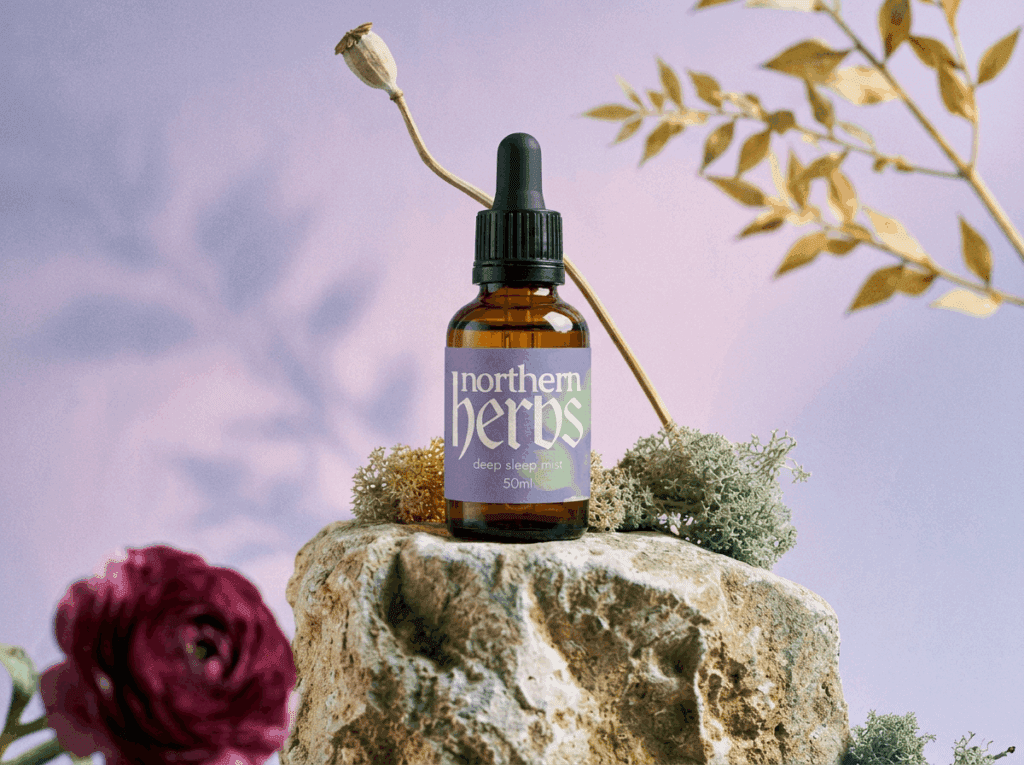
For startup founders, Firefly is the right tool when you need imagery that is specific to your brand — not just contextually appropriate, but atmospherically precise. When the generic AI aesthetic isn’t enough and the visual brief is detailed, Firefly’s combination of text-to-image generation and the Gemini 2.5 partner model produces results that the other tools in this review cannot match for brand specificity.
Text-to-image for brand concept work
Firefly’s text-to-image generator — particularly via the Gemini 2.5 partner model in Firefly Boards — is exceptionally well suited to the early stages of startup packaging design: building visual direction, aligning stakeholder expectations, and generating creative references before the full production process begins.
For a CPG startup founder going into a first investor meeting or a brand design brief, the ability to generate a set of visually specific reference images — grounded in the brand’s colour palette, atmosphere, and product world — changes the quality of that conversation. These outputs are not finished packaging designs. They function as rapid creative direction references, used to show what the brand feels like before a single dieline has been drawn.
The key to using Firefly for brand-specific output is prompt specificity. Generic prompts produce generic imagery. The more precisely you can describe the material quality, the light source, the atmosphere, and the product surface, the more the output reflects an actual brand world rather than the model’s approximation of your category.
💡 Founder tip
Build one core “brand prompt” that captures your visual world — surface material, light quality, atmosphere, colour temperature, and product context — and use it as the base for every Firefly generation. Vary the product detail or the angle; keep the atmospheric language consistent. This is the fastest path to a coherent visual library using AI generation.


Generative Fill: editing without re-shooting
For startup founders who have product photography but need to extend, adapt, or recompose it — Generative Fill in Photoshop is the Firefly feature with the most immediate practical value.
Select any region of a product photograph, type a description of what should replace it, and Photoshop generates multiple photorealistic options that match the lighting and shadow of the existing image. The most useful application in a startup packaging design workflow is background generation and extension: if you have a product shot with the wrong background for a particular campaign, or a crop that’s too tight for a layout, Generative Fill can replace and extend it without a reshoot.
For an early-stage CPG startup founder working with a limited photography budget, the ability to repurpose one strong product photograph across multiple campaign contexts — different backgrounds, different crops, different surface environments — is a significant practical advantage.

Product Swap for campaign extensions
Firefly’s Product Swap feature allows founders to upload an existing packaging design and generate complementary imagery — placing the product into new scenes for campaign visuals, social content, or new product line extensions without a physical shoot. For a startup founder building out a visual library across multiple channels from a single product shoot, this compounds the value of every image you produce.
Adobe Firefly for startup packaging design: verdict
| Ease of use | ★★★★☆ | Firefly Boards has a low learning curve; Generative Fill in Photoshop integrates well for those with some Adobe experience |
| AI capability | ★★★★★ | Highest-rated AI generation in this review. Commercial IP safety and brand-specific output precision are the key differentiators |
| Output quality | ★★★★☆ | Consistently realistic and professional — and directable in ways the other tools are not |
| Packaging specifics | ★★★★☆ | Product Swap, Generative Fill backgrounds, and Firefly Boards with Gemini 2.5 are all directly useful in a startup packaging design workflow |
| Value for money | ★★★★☆ | The standalone free tier (25 credits/month) is a meaningful starting point; the full value sits inside Creative Cloud |
| Overall | ★★★★★ | The highest-capability tool in this review for brand-specific AI generation — and the right choice when creative precision matters more than speed |
Recommended audience: CPG startup founders and independent brand entrepreneurs who need brand-specific visual imagery, commercially safe concept generation, or production-level AI editing. Free tier suits pre-revenue founders; full value requires Creative Cloud access.
Tool 2: Canva
Best for: Startup founders and independent brand entrepreneurs who need to build a brand identity system, produce consistent visual assets across a team, and generate fast, polished mockups for presentations — without needing Photoshop experience.
Category: Browser-based design platform with AI features
Website: canva.com
Platforms: Web (all browsers), macOS desktop app, Windows desktop app, iOS, Android
What it is
For most startup founders building a brand and packaging design from scratch, Canva is the right first tool. Not because it’s the most powerful — it isn’t — but because it does the job of a design system, a template library, and a mockup tool in a single platform, at a price point that makes sense at the pre-revenue stage.
In 2026, Canva is no longer the simple Instagram graphics tool it started as. It now contains a photo editor, an AI image generator (Magic Media), an AI background remover, a brand kit system, a presentation builder, a video editor, and a template library numbering in the millions. For non-designers and startup founders, it covers a remarkable amount of ground.
The critical feature for any CPG startup founder is the brand kit (Pro only). It locks your brand colours, fonts, and logos at the system level — meaning every template you touch, every asset a team member produces, pulls from the same approved visual identity. For founders managing brand consistency across a small team or across multiple product lines, this is the closest thing to having a brand guardian built into your workflow.
The startup packaging design use case
Canva’s mockup library has grown substantially and now includes a broad range of product mockup templates — bags, bottles, boxes, cups, kraft pouches, labels — that let you drag a flat design directly onto a product form and generate a presentation-quality image in minutes.
For investor decks, first-round client presentations, and social campaign visuals, this workflow is genuinely fast and the outputs are polished enough for professional use. It won’t replace a properly lit product photograph for your e-commerce hero shot — but for stakeholder presentations and early-stage brand communication, it does the job well.
💡 Founder tip
Set up your brand kit before you produce a single Canva asset. Upload your logo, lock your hex codes, load your fonts. Every template you use from that point forward will be brand-consistent by default. This single step saves more time and prevents more visual inconsistency than any other action you can take in Canva.
AI features: Magic Media and Magic Edit
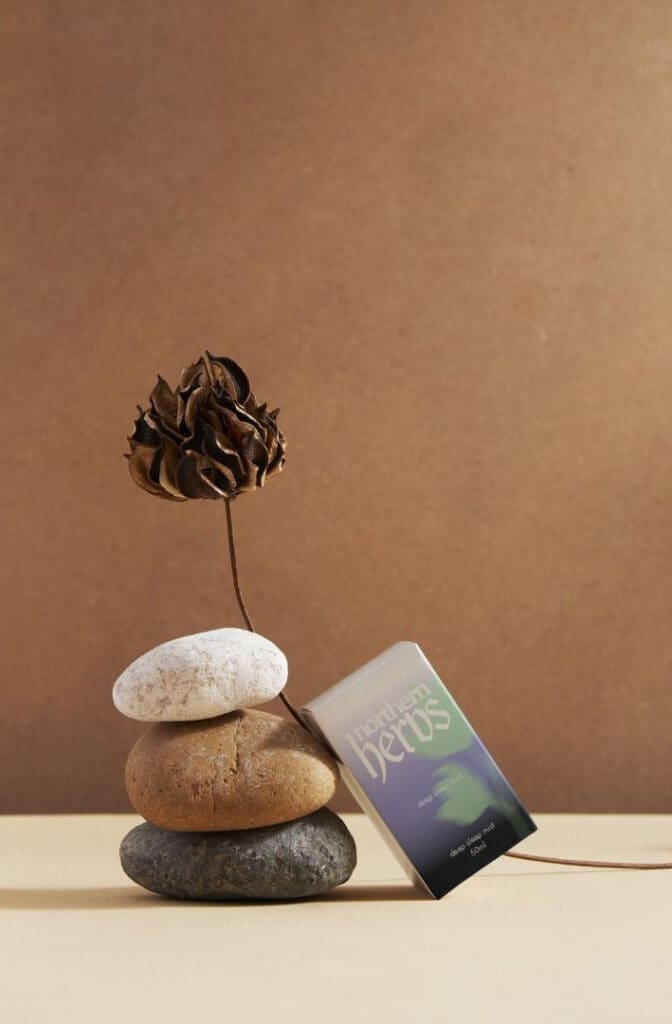
Canva’s AI image generation tool, Magic Media, uses a text-to-image model to generate background imagery, pattern fills, and lifestyle scenes.
For startup founders without access to product photography, the most useful application is generating contextual lifestyle backgrounds — a kitchen scene for a food brand, a bathroom shelf for a wellness product, a warm market environment for an artisan CPG brand — to place a product mockup into without a photoshoot. Output quality is good for presentation and social content, but not for final production imagery. Treat it as a fast internal reference tool rather than a production asset generator.

Magic Edit allows you to select any region of an image and replace it with AI-generated content — useful for changing a product surface colour, swapping a background, or testing a different texture quickly. Again, best treated as a concepting and iteration tool rather than a final output mechanism
⚠️ Watch out
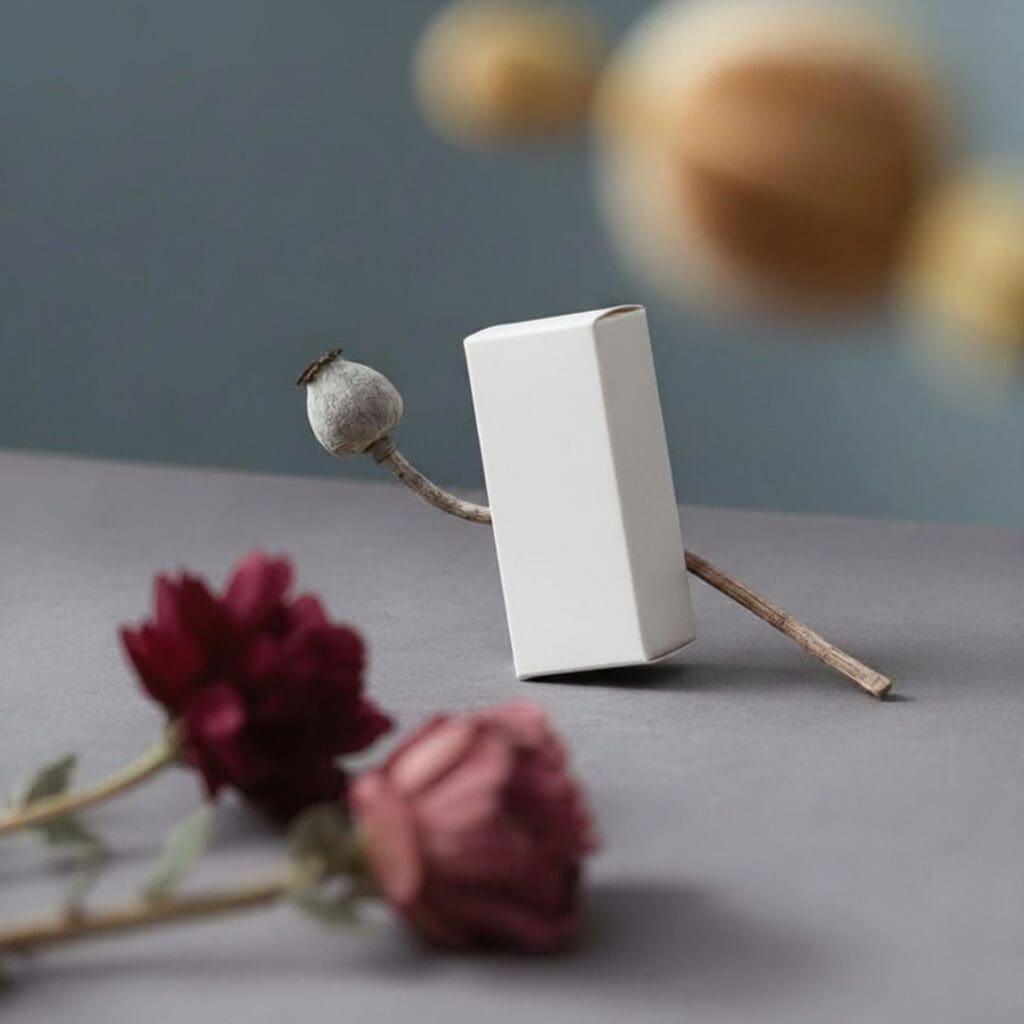
Canva’s AI generation tools are built for speed and accessibility. If you need precise, brand-specific imagery — a highly specific atmospheric scene, a particular texture or surface quality — the output may not be controllable enough for your purposes. At that point, reach for Adobe Firefly.
Canva for startup packaging design: verdict
| Ease of use | ★★★★★ | The most accessible tool in this review — no design experience required |
| AI capability | ★★★☆☆ | Magic Media is solid for mood boards and presentations; output falls below production standard |
| Output quality | ★★★☆☆ | Strong on-screen presentation quality; not suited to print-production or CMYK-critical deliverables |
| Packaging specifics | ★★★☆☆ | Mockup library is useful and growing; no dielines, no print specs |
| Value for money | ★★★★☆ | Hard to argue with the free tier; Pro is worth it the moment you’re managing a brand across more than one person |
| Overall | ★★★★☆ | The right first tool for any CPG startup founder — especially for brand kit setup, presentation mockups, and social content |
Recommended audience: Startup founders at every stage, in-house brand teams, and early-stage CPG brands that need consistent visual asset management without a dedicated designer. Not recommended for precision packaging artwork, print-production files, or CMYK-critical deliverables.
Tool 3: PhotoRoom
Best for: CPG startup founders and independent brand entrepreneurs who need precise background removal on complex or transparent packaging, AI lifestyle staging without a photoshoot, and consistent product imagery across a full SKU range.
Category: AI product photography editor — background removal, staging, and batch editing
Website: photoroom.com
Platforms: Web, iOS, Android; API available for enterprise
What it is
PhotoRoom is purpose-built for product photography production. It is not a brand kit builder, or a graphic design platform. It is a pure product photography AI — and within that lane, for startup packaging design specifically, it is exceptional.
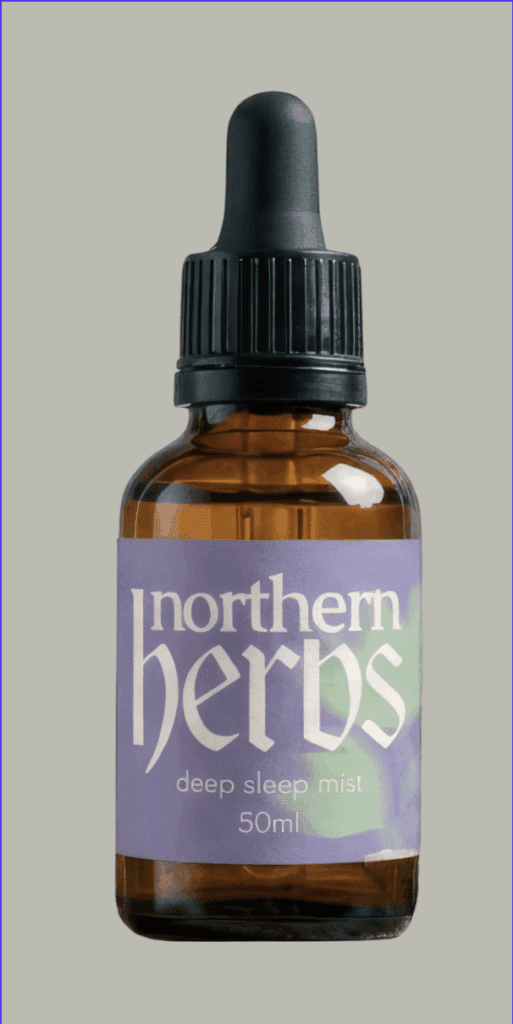
The core workflow is straightforward: upload a product image, remove the background with precision, drop it into a staged lifestyle scene, apply consistent lighting and shadows, and export for any platform. For independent brand founders and CPG entrepreneurs working on product ranges without a photography budget, it is the highest-efficiency tool in this review.
What separates PhotoRoom from Canva’s background removal and Firefly’s generative tools is its precision on complex packaging surfaces. We’re talking transparent pouches, foil labels, glass jars, fine typography on product surfaces — the surface types most common in premium CPG packaging, and the ones that usually require careful manual masking in Photoshop. PhotoRoom’s AI handles them with a level of accuracy that consistently outperforms comparable tools on these exact surface types.
Background removal: the precision that matters for packaging
Background removal is where PhotoRoom built its reputation, and for startup packaging design the quality is genuinely industry-leading. Most tools treat transparent or semi-transparent packaging elements as solid shapes to cut out — which looks terrible on premium CPG products and destroys the perceived quality of a product shot.
PhotoRoom correctly retains refraction and layering in glass and clear packaging, preserves foil edge detail, and handles fine typography on product surfaces without the blurring or haloing that most tools produce on these elements. For a startup founder trying to make a premium product look premium in a digital environment, this level of precision matters enormously.

Product staging: a studio you don’t need to book
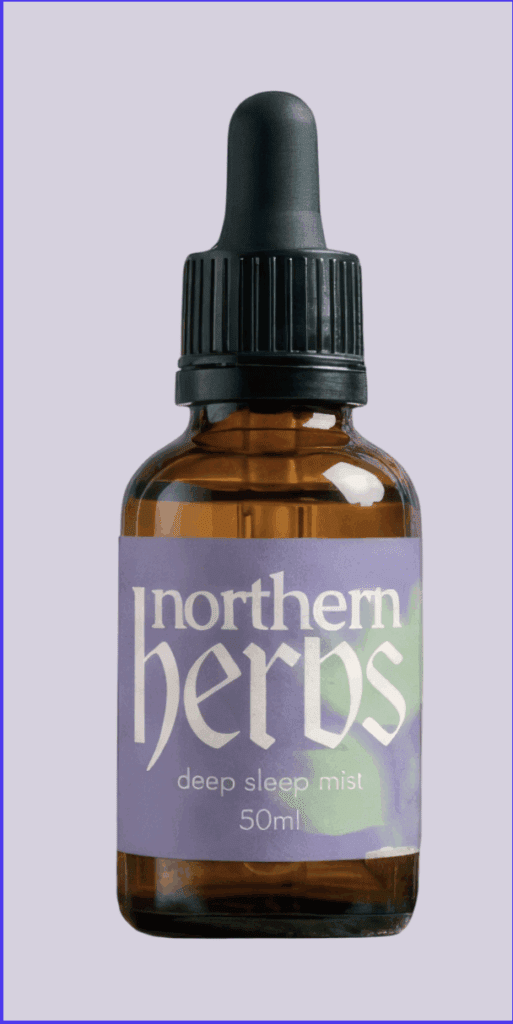
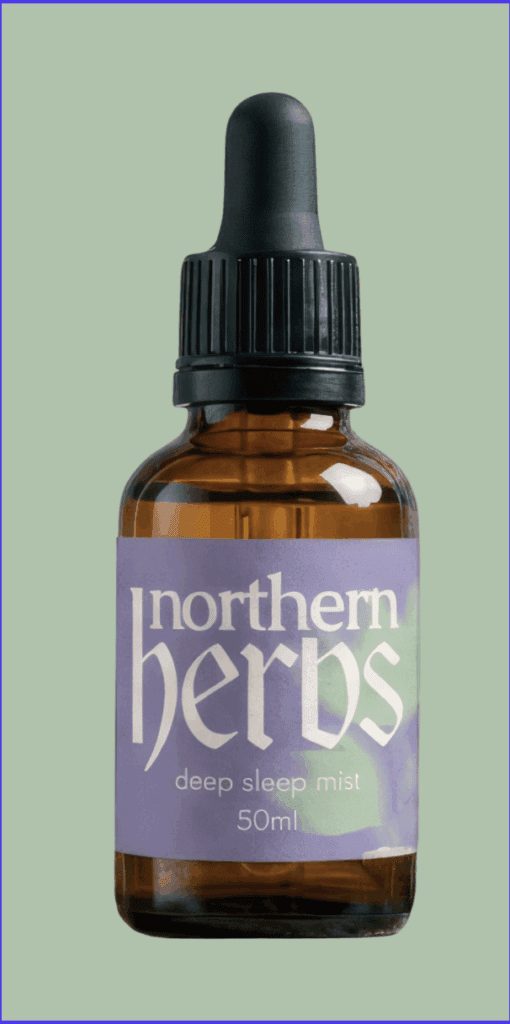
Product Staging is PhotoRoom’s most significant feature for startup founders in 2026. Upload a product shot — even a basic one taken against a plain white background — and PhotoRoom generates a photorealistic lifestyle scene around it.
The AI reads the product type and generates contextually appropriate environments: a food product staged in a warm kitchen, a luxury cosmetic on a marble surface, an artisan CPG product among craft market materials and textured props. For a pre-revenue startup founder without a photography budget, this is transformative — it produces presentation-ready imagery that is viable for use in e-commerce listings, investor decks, and social campaign content.
💡 Founder tip
Your first product photograph doesn’t need to be a studio shot. A clean product image taken against a plain, evenly lit background is enough to feed into PhotoRoom’s Product Staging. The AI does the rest. This is the fastest path from physical product to campaign-ready imagery currently available to an early-stage brand.

Batch editing: consistency across your product range
For startup founders working with multiple SKUs — flavour variants, format sizes, a product family — visual consistency across the whole range is a challenge that compounds quickly. PhotoRoom’s Batch tool is built for exactly this. Save a processed batch as a reusable template, and the same background, lighting, and dimensions can be applied to an entire new product range in minutes.
The colour-matching eyedropper within the Batch tool is particularly useful — sample a brand colour from any image in your project and apply it as the background across the whole batch. For a CPG startup launching with three or four SKUs and needing consistent e-commerce imagery across all of them, this is a significant time saving.
PhotoRoom for startup packaging design: verdict
| Ease of use | ★★★★★ | Highly intuitive — anyone can produce strong product imagery within minutes of opening the tool |
| AI capability | ★★★★★ | Best-in-class background removal on complex packaging surfaces; Product Staging is a genuine workflow changer for founders without a photography budget |
| Output quality | ★★★★☆ | Excellent for digital, e-commerce, and social. Not a print-production tool |
| Packaging specifics | ★★★★☆ | Handles the complex packaging surfaces — foil, glass, transparent pouches — better than any other tool in this review |
| Value for money | ★★★★★ | Paid plans are very fairly priced given the output quality and the cost of the photography it replaces |
| Overall | ★★★★★ | The product photography tool that belongs in every CPG startup founder’s stack — particularly before you have a photography budget |
Recommended audience: Startup founders and independent brand entrepreneurs working on physical product ranges, e-commerce launches, and client-facing campaign imagery. Particularly strong for early-stage brands without studio photography infrastructure. Works at every experience level — no design software knowledge required.
Side-by-Side: All Three Tools Compared
Feature comparison
| Feature | Firefly | Canva | PhotoRoom |
|---|---|---|---|
| Platform | Web + within PS/AI/Express | Web + Desktop + Mobile | Web + iOS + Android |
| AI generation | Yes — brand-specific, IP-safe | Yes (Magic Media) | Yes — e-commerce trained |
| Background removal | Yes (via Photoshop) | Yes (AI) | Yes — best precision on complex surfaces |
| Product staging | Yes — via Product Swap and Presets | Limited mockup templates | Yes — dedicated feature, context-aware |
| Batch editing | Via Photoshop actions | Limited | Yes — up to 500 images |
| Brand kit | Via Creative Cloud Libraries | Yes — Pro feature | No |
| Free tier | Yes — 25 credits/month | Yes | Limited trial |
Recommended use cases
| Task | Best tool | Why |
|---|---|---|
| Build a brand identity system | Canva Pro | Brand kit locks colours, fonts, logos across all assets |
| First client or investor presentation mockup | Canva | Fast, polished, easy to share in a deck |
| Brand-specific AI concept imagery | Adobe Firefly + Gemini 2.5 | Commercially safe; prompt-driven; atmospherically precise |
| Background removal on complex packaging | PhotoRoom | Best precision on foil, glass, transparent pouches |
| Lifestyle staging without a photoshoot | PhotoRoom | Product Staging reads product type and generates context |
| Background extension / adapting existing shots | Adobe Firefly | Generative Fill is lighting-aware and contextually intelligent |
| Batch product imagery across multiple SKUs | PhotoRoom | Batch templates, colour matching, scale-ready |
| Social content and campaign assets | Canva | Template library, fast workflow, brand kit integration |
| Print production ready files | Photoshop/Illustrator | None of the three replace the production pipeline |
Conclusion
The following summary reflects the practical realities of startup packaging design in 2026 — specifically, the challenge of building and maintaining a credible visual brand without a full creative team or a production budget.
None of these three tools are interchangeable — and they are not equal in role. For most startup teams, the workflow is not one tool — but a combination of Canva, PhotoRoom, and Adobe Firefly, each handling a different stage of the process.
Adobe Firefly is the right tool when brand specificity and aesthetics matter.
When you need concept imagery that reflects a precise visual world — not just a broad AI aesthetic that blends into the sea of same — Firefly’s combination of text-to-image generation and the Gemini 2.5 partner model produces results the other tools cannot match. The commercial IP safety is a meaningful advantage for any founder building a brand they intend to protect. The free tier (25 credits/month) is the starting point; full value sits inside Creative Cloud.
PhotoRoom is a standout performer for growing ecommerce brands.
The background removal precision on complex packaging surfaces — transparent pouches, foil labels, glass jars — handles surface types that would normally require a careful manual mask in Photoshop. Product Staging without a studio, batch consistency across a full SKU range, and a colour-matching eyedropper that actually works the way you want it to. For an early-stage startup founder without a photography budget, PhotoRoom’s capabilities are transformative.
Canva is the beginner tool for CPG startup founders.
Build your brand kit before you produce a single asset. Lock your colours, fonts, and logo at the system level. Use the mockup library for early-stage presentations. Use Magic Media for mood board imagery and internal visual references. Canva won’t produce your final packaging artwork — but it will keep your brand visually consistent across every touchpoint within your presentations.
The highest-performing startup packaging design workflows are built around a defined brand foundation — a colour palette, a visual mood, and a clear understanding of your product surface — and use these three tools to accelerate specific stages of the work, rather than replacing strategic creative thinking.
One thing worth being clear about: none of these three tools replace a skilled designer or agency, or Photoshop and Illustrator for print-production work. CMYK colour management, dieline setup, and advanced masking still sit inside Creative Cloud. What these tools do is make the front and middle of the packaging design workflow faster, smarter, and far less dependent on a full studio setup — which is exactly what a startup founder needs.
| Workflow scenario | Reach for first | Then reach for |
|---|---|---|
| Building your brand identity from scratch | Canva Pro (brand kit) | Adobe Firefly (concept imagery) |
| First investor or client presentation | Canva (mockup + deck) | PhotoRoom (clean product cutout) |
| Product photography on a budget | PhotoRoom (Product Staging) | Adobe Firefly (Generative Fill for extensions) |
| Launching e-commerce across multiple SKUs | PhotoRoom (Batch + Staging) | Canva Pro (brand kit consistency) |
| Building a campaign visual library | Adobe Firefly (Gemini 2.5) | PhotoRoom (Product Swap) |
| Day-to-day social and brand assets | Canva | PhotoRoom (clean product imagery) |
FAQs
What are the best AI tools for startup packaging design in 2026?
The strongest combination for most CPG startup founders is Adobe Firefly (brand-specific concept generation and AI editing), Canva Pro (brand system and presentations), and PhotoRoom Pro (product photography cutouts and staging).
Do I need design experience to use these tools?
All three tools are accessible to founders without formal design training. Canva and PhotoRoom in particular require no prior design software knowledge. Adobe Firefly has a low learning curve at the web app level; its deeper features (Generative Fill, Generative Expand) sit inside Photoshop and benefit from some familiarity with the Adobe environment.
How do I create a consistent brand look and feel using AI tools?
Start with three inputs before you use any AI tool: your colour palette (hex codes), a small collection of visual mood references (3–5 images that represent your brand world), and a clear description of your product surface type. Use these as the foundation for every prompt you write and every reference image you upload. In Canva, set up your brand kit before producing a single asset. Whereas, in Firefly, build a reusable core prompt that captures your brand atmosphere; and in PhotoRoom, save a processed staging template and apply it consistently across your product range.
Can PhotoRoom handle transparent packaging and foil surfaces?
Yes — and it does so better than any comparable tool in this review. Most tools treat transparent and semi-transparent packaging elements as solid shapes, which looks poor on premium CPG products. PhotoRoom correctly retains refraction and layering in glass and clear packaging, and handles foil edge detail and fine label typography with a precision that would otherwise require a manual Photoshop mask.
Do I need Adobe Creative Cloud to use Firefly?
No — there’s a standalone web app at firefly.adobe.com accessible with a free Adobe account, which includes 25 generative credits per month. That’s enough to explore concept generation and early brand direction work. The features with the most practical value for startup packaging design — Generative Fill, Generative Expand, and Firefly Boards with Gemini 2.5 — sit inside Creative Cloud and require a subscription to access fully.
Can these tools replace a packaging designer?
No. For in-depth brand identity concepts, packaging design, brand presentations, product photography, and social content, these three tools collectively cover a significant amount of ground for an early-stage founder. But for print-production packaging artwork — CMYK colour management, structural dieline setup, bleed and registration, advanced compositing — you still need a professional packaging designer working in Photoshop and Illustrator. These tools accelerate and improve the stages before production. The production anchor is still Adobe Creative Suite, and a professional designer’s creative and technical judgement remains irreplaceable for the final output.


